Question # 5
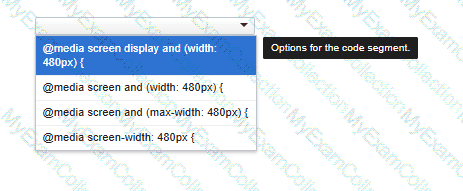
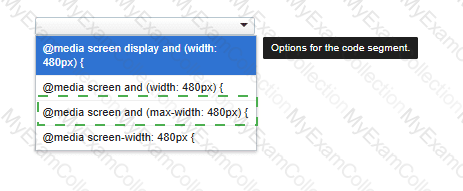
You need to correctly apply a style rule for screen devices with a width of 480 pixels or less.
Complete the code by selecting the correct option from the drop-down list.
Question # 6
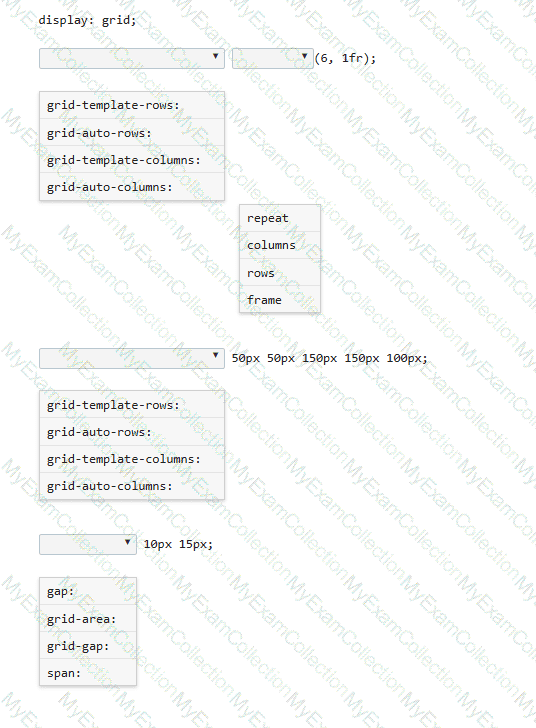
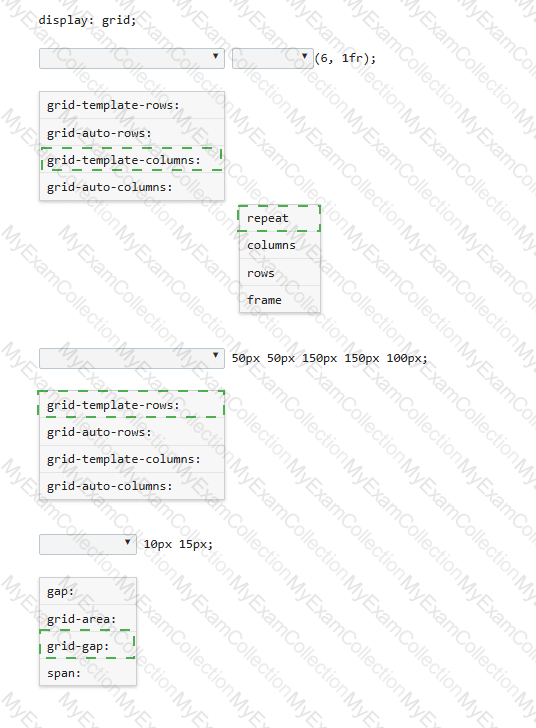
You need to define a grid that meets the following requirements:
• Explicitly sets the width of 6 equal columns of 1 fraction
• Explicitly sets 5 varied sized rows
• Defines 15px of space between each grid column
• Defines 10px between each grid row
Complete the code by selecting the correct option from each drop-down list.
Question # 7
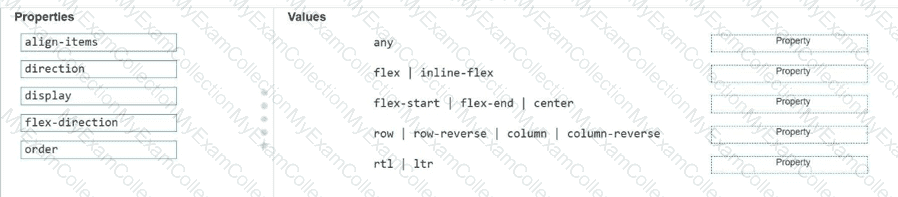
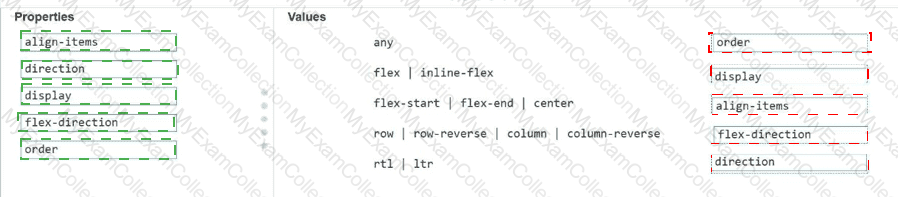
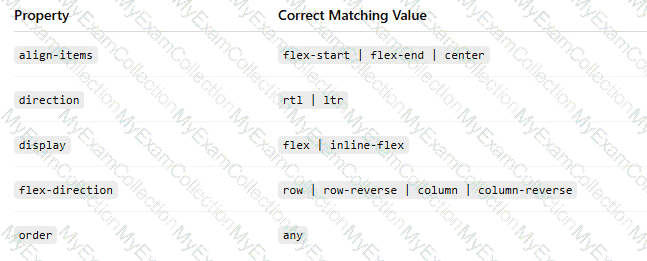
Match each property to its corresponding value for creating the CSS flexible box layout.
Move each property from the list on the left to the correct value on the right.
Note: You will receive partial credit for each correct match.
Question # 8
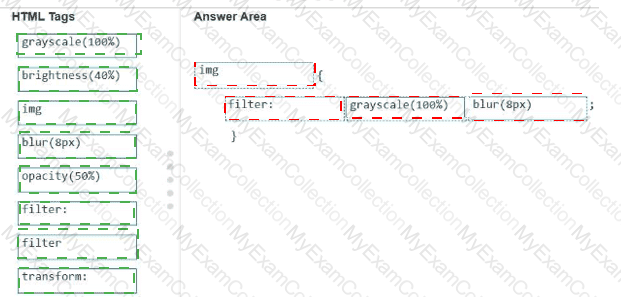
A local photographer asks you to add filters as shown to the images in their photo gallery so that the images are not recognizable until authorized users log in.
Example of original and filtered images:
Original image: full-color flower image
Filtered image: blurred grayscale image

Analyze the images on the left.
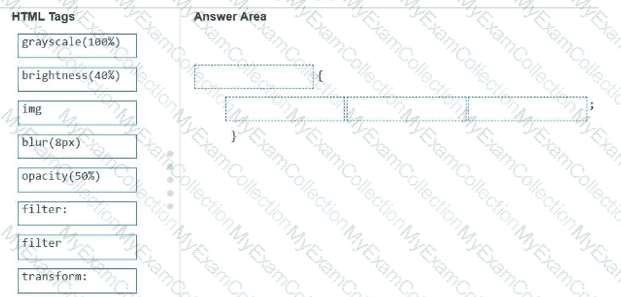
Construct a CSS selector that will apply the appropriate filters to the images to meet the requirements.
Complete the markup by moving the appropriate HTML tags from the list on the left to the correct locations on the right. You may use each HTML tag once, more than once, or not at all.
Note: There is more than one correct markup. You will receive credit for any correct markup completion.
Question # 10
You are drawing on the canvas defined by the white square.
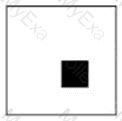
At which x, y coordinate is the upper-left corner of the filled square?
Question # 11
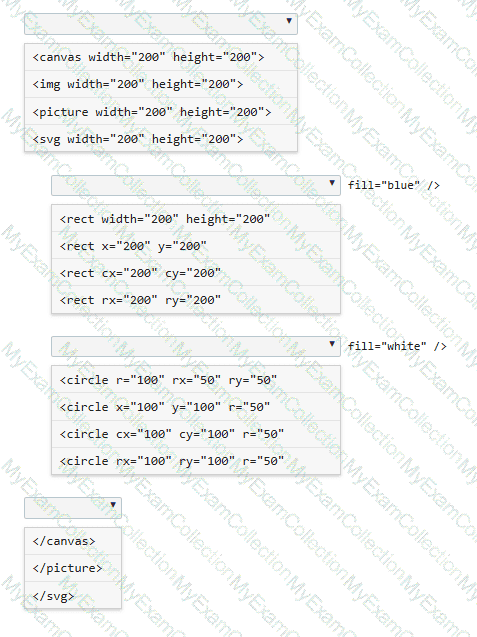
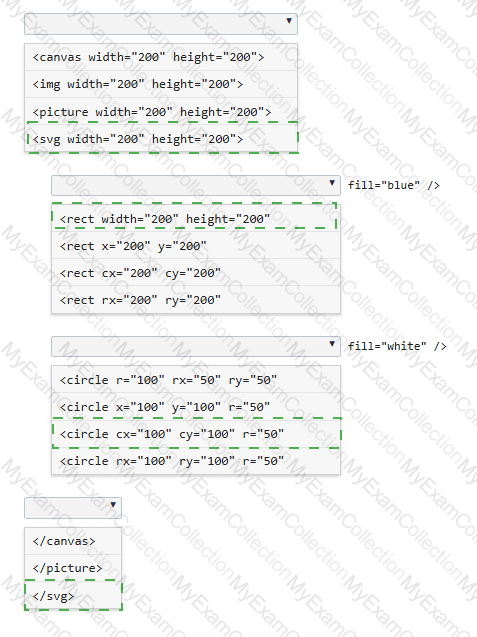
You need to draw a blue rectangle that meets these conditions:
• It is 200 by 200 pixels.
• It contains a white circle that is centered within the rectangle.
• The circle has a 50-pixel radius.
• The image should appear as follows: a blue square with a centered white circle.
Refer to the image on the left.
You need to ensure that the image scales without distortion when the page is resized. You must not be required to use JavaScript.
Complete the code by selecting the correct option from each drop-down list.
Note: You will receive partial credit for each correct selection.
Question # 12
You write the following JavaScript code. Line numbers are included for reference only.
01 < script >
02
03 beststudent = new Student( " David " , " Hamilton " );
04 document.write(beststudent.fullname + " is registered. " );
05 < /script >
You need to write a function that will initialize and encapsulate the member variable fullname.
Which code fragment could you insert at line 02 to achieve this goal?
Note: Each correct answer presents a complete solution.
Question # 14
Review the grid container requirements and mockup on the left. Which markup should you use to define the grid container?
Question # 15
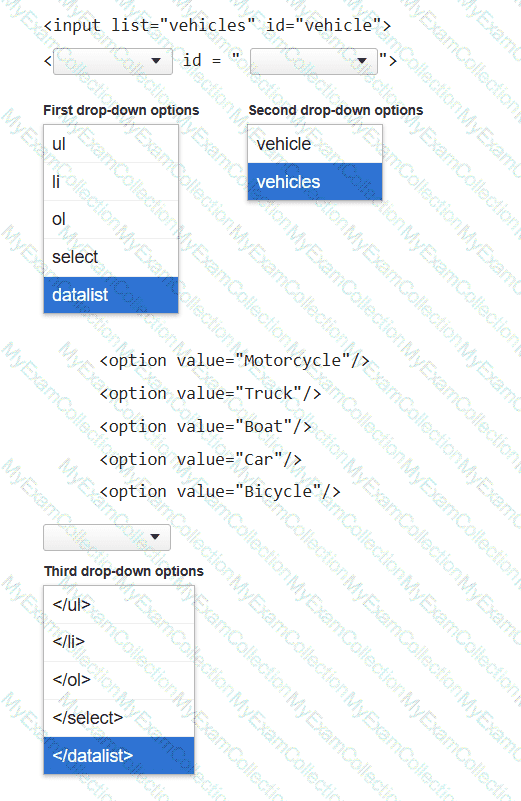
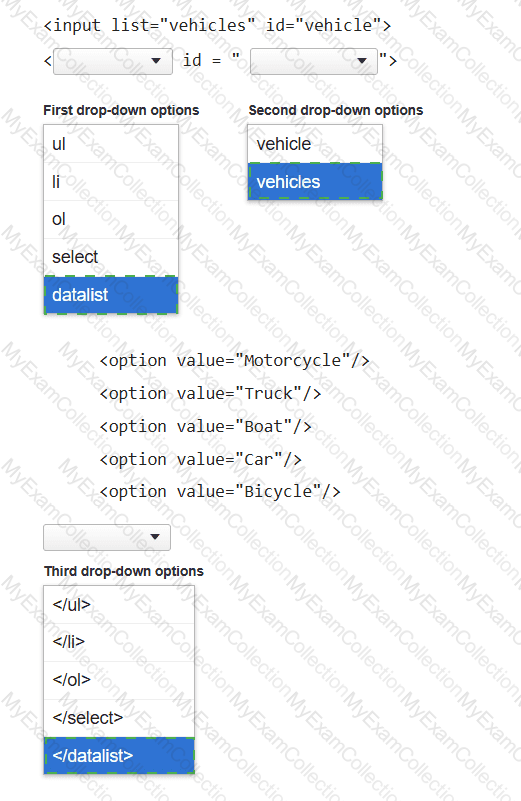
You need to display the following user interface:
Motorcycle
Truck
Boat
Car
Bicycle
Complete the markup by selecting the correct option from each drop-down list.
Question # 16
You have created custom error messages for a form. When a user attempts to submit the form with invalid data, the data must remain in the form and error messages must be displayed. Which Event property or method should you use?
Question # 17
You create an interface for a touch-enabled application. You discover that some of the input buttons do not trigger when you tap them on the screen. You need to identify the cause of the problem. What are two possible causes? Choose 2.
Question # 18
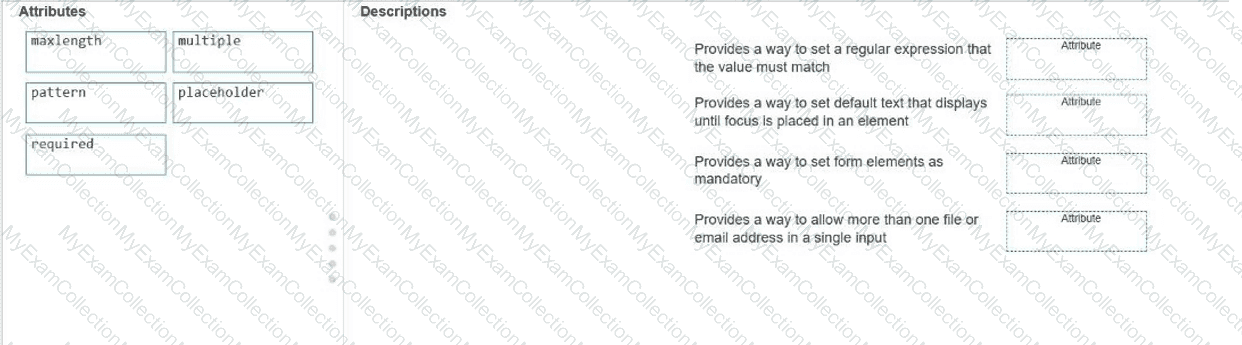
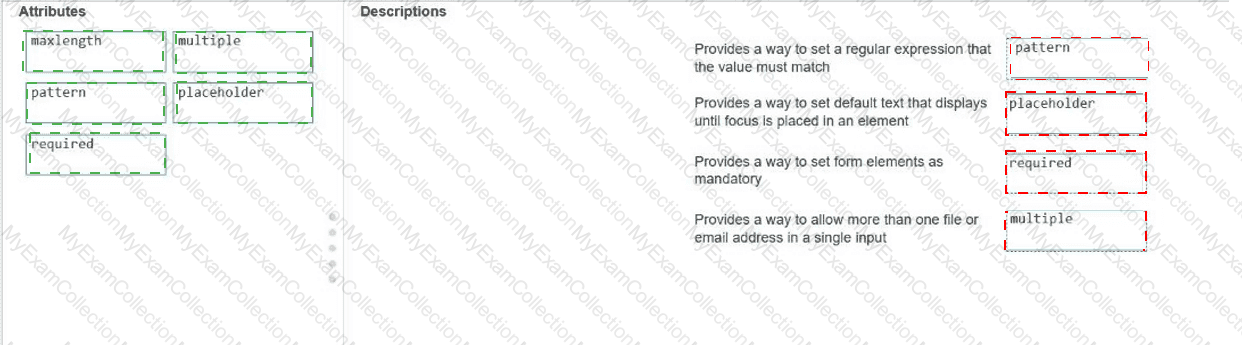
Move the appropriate attributes from the list on the left to the correct descriptions on the right. You may use each attribute once, more than once, or not at all.
Note: You will receive partial credit for each correct match.