Question # 4
You have a GitHub Enterprise repository that uses the GitHub Copilot coding agent and opens draft pull requests for assigned issues.
Evaluation results show that the agent repeatedly opens pull requests that modify .github/workflows/*.yml to bypass failing checks instead of fixing the underlying code.
You need to ensure that the agent fixes the underlying code instead of bypassing the failing checks.
What should you do?
Question # 5
You have a GitHub Copilot coding agent named CodeAgent. The .agent.md file of CodeAgent contains the following YAML frontmatter.
name: CodeAgent
description: Performs repository analysis and code review tasks.
tools: [ ' edit ' , ' execute ' , ' read ' , ' search ' ]
You need to issue a GitHub Copilot CLI command that preserves execution velocity for read-only tasks by eliminating approval prompts for low-risk tools. The solution must ensure that high-risk tools that can make changes remain available but still require explicit user approval before running.
Which command should you run?
Question # 6
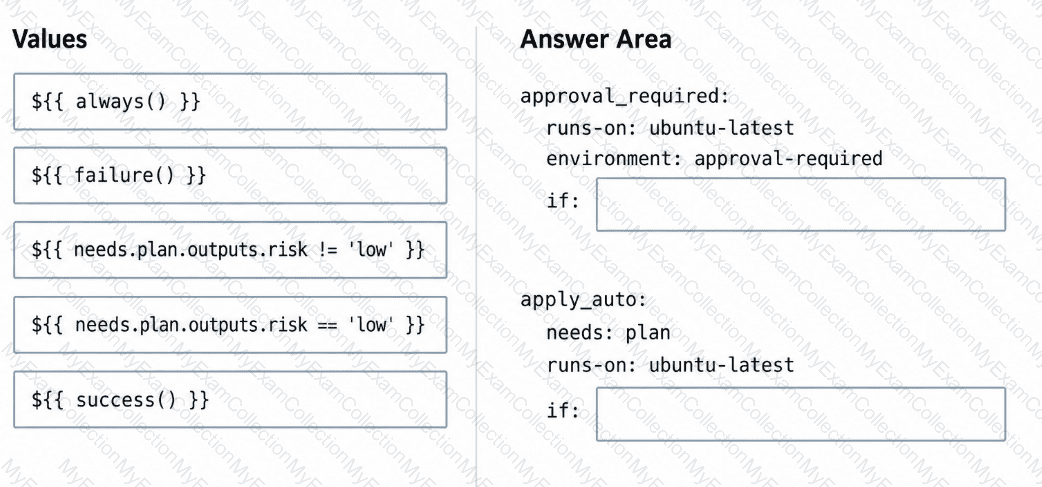
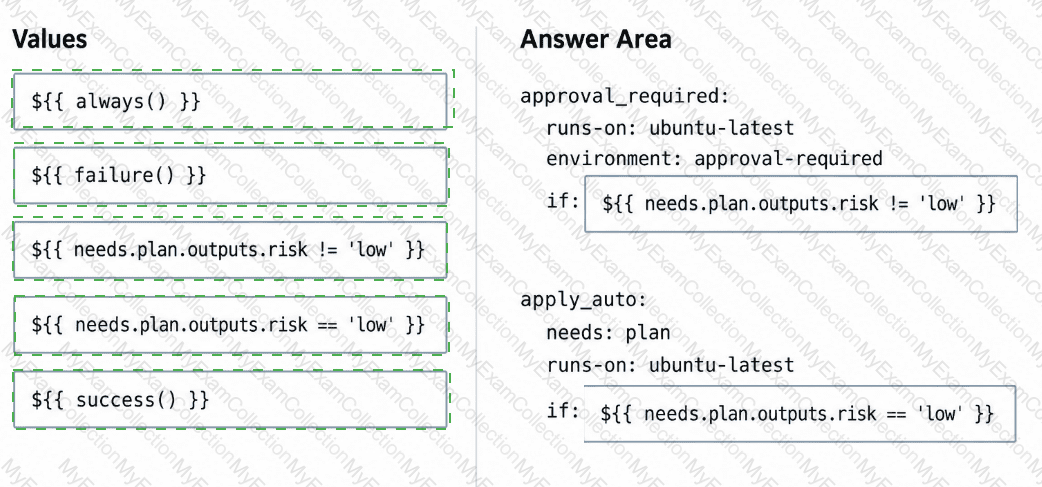
You have a repository that uses a GitHub Actions workflow to run an agent-driven change plan as part of a CI pipeline. The workflow generates an artifact named plan.json that includes a field named risk. Risk has possible values of low, medium, or high.
You need to ensure that a human must confirm the execution of the workflow when risk is medium or high. The workflow must proceed automatically only when risk is low.
How should you complete the workflow? To answer, drag the appropriate values to the correct targets.
Question # 7
Your company uses GitHub Copilot Enterprise.
Developers use GitHub Copilot agent mode in Microsoft Visual Studio Code on their laptops and Copilot Chat on github.com when they are away from their laptops.
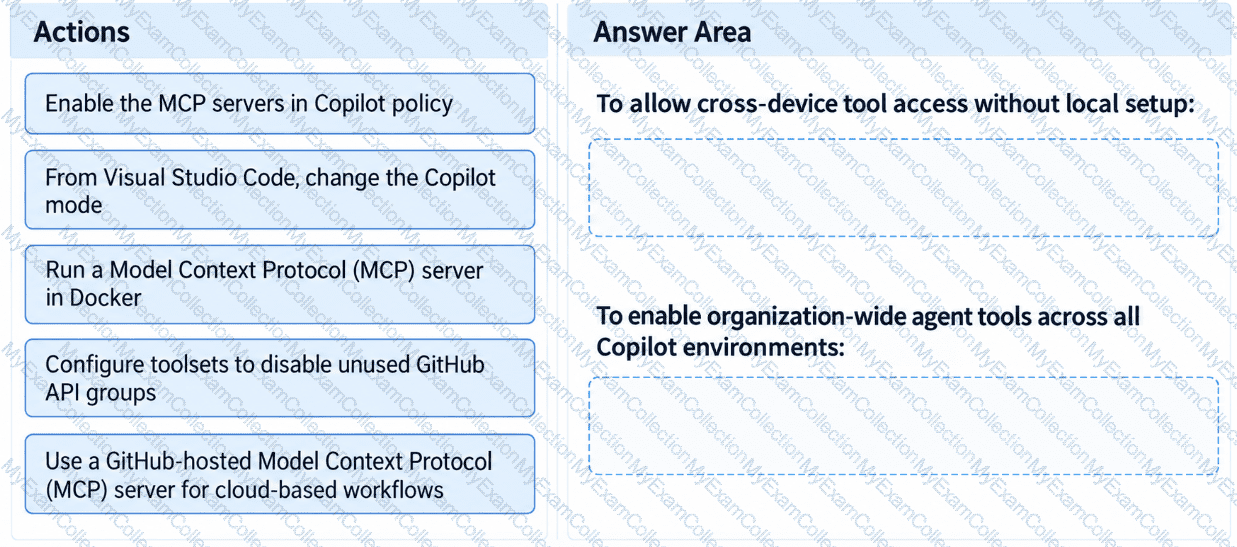
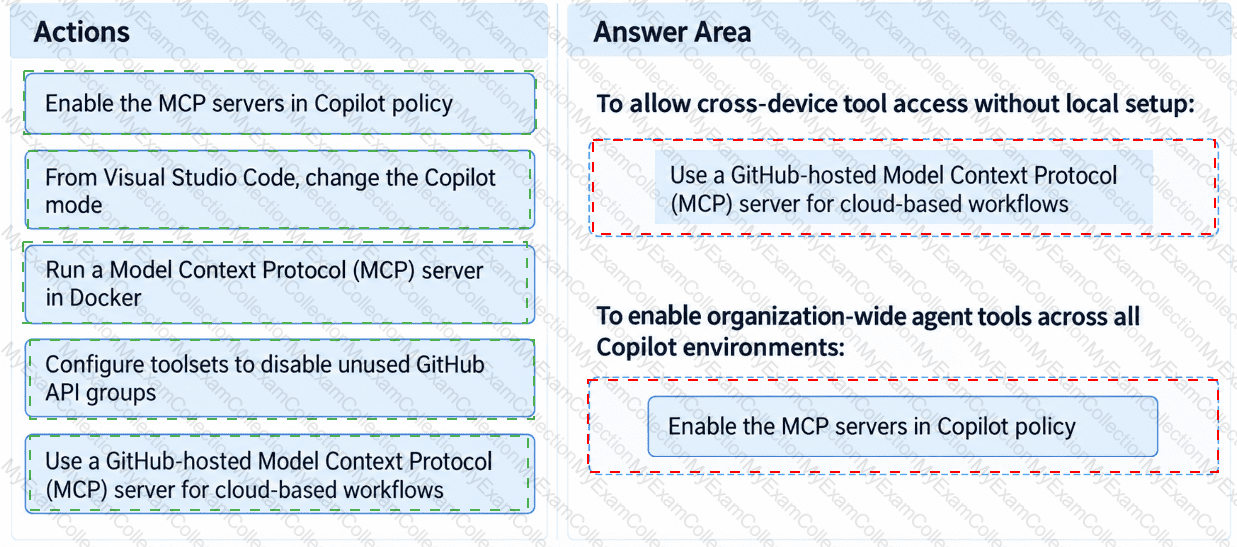
When switching between environments, the developers notice that agent workflows lose continuity because the tools available in Visual Studio Code are unavailable on github.com.
You need to ensure that the agent tools and state are available consistently across environments and can be used from any device without local setup.
What should you do for each requirement? To answer, drag the appropriate actions to the correct requirements.
Question # 8
You have a GitHub Enterprise Cloud organization that uses the GitHub Copilot coding agent to resolve issues asynchronously.
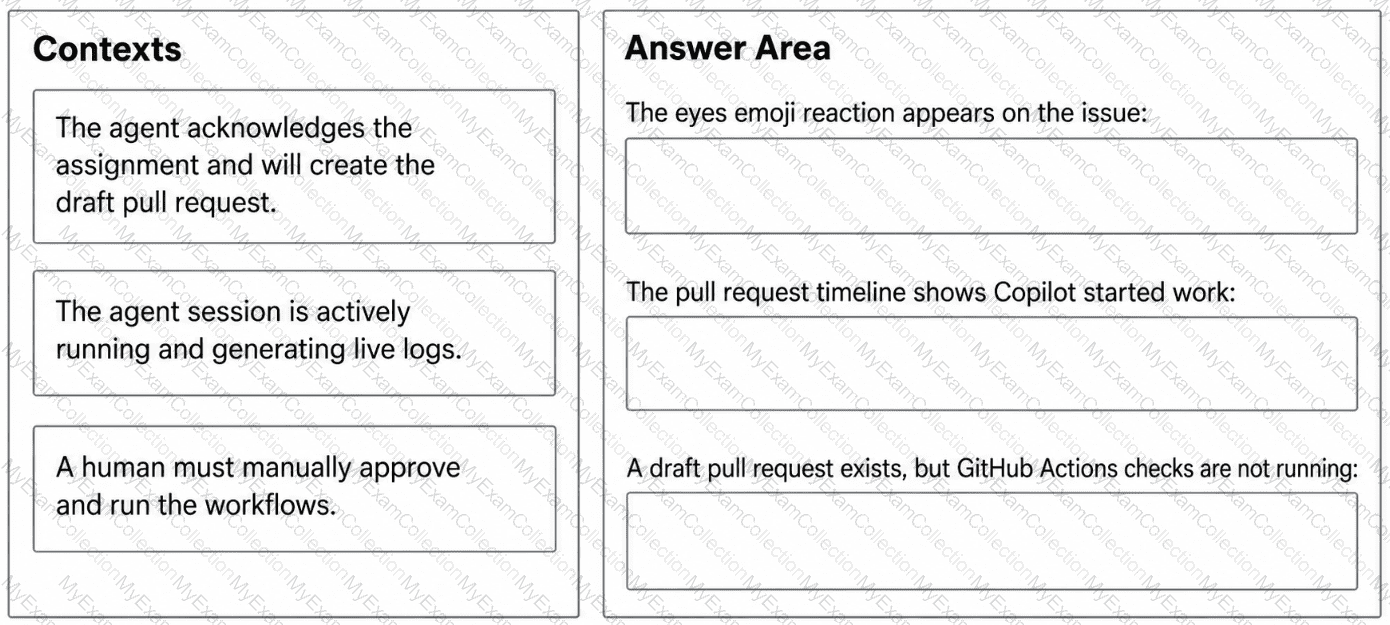
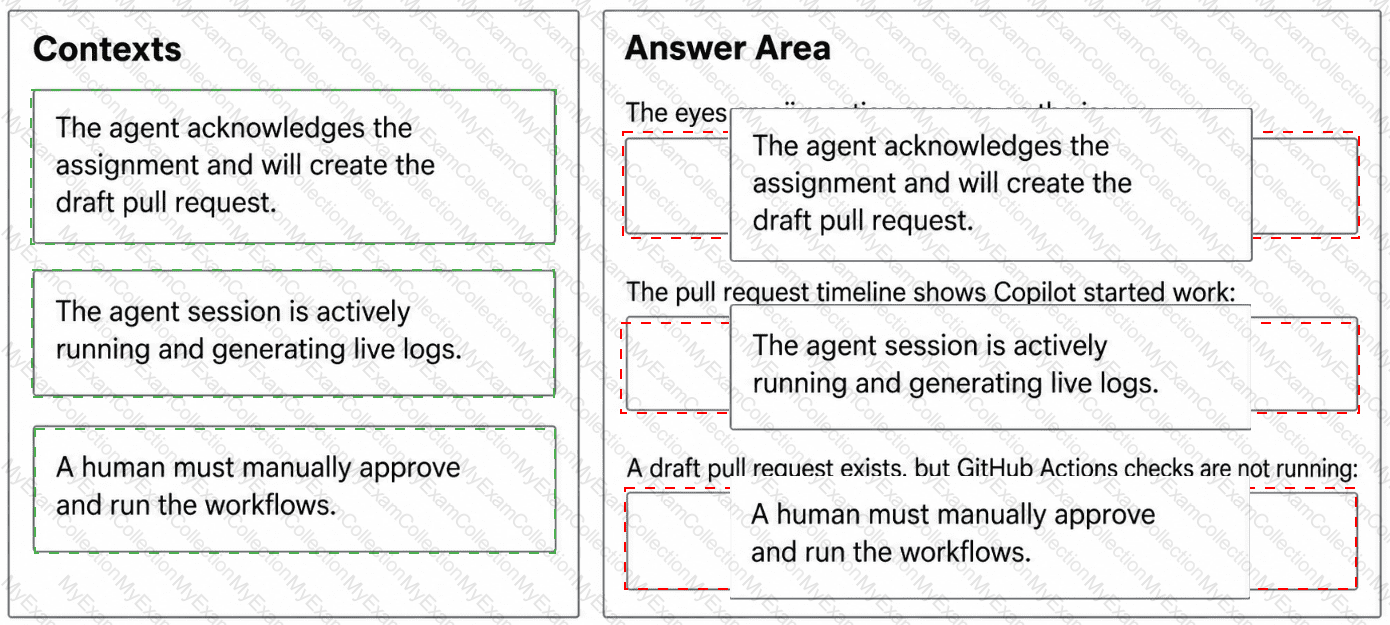
When an issue is assigned to GitHub Copilot, the agent creates a draft pull request, but your team cannot always tell whether the agent is actively working, has completed its session, or is awaiting workflow approval.
Which execution context does each signal indicate? To answer, drag the appropriate context to the correct signals.
Question # 9
You have a GitHub repository that uses the GitHub Copilot coding agent.
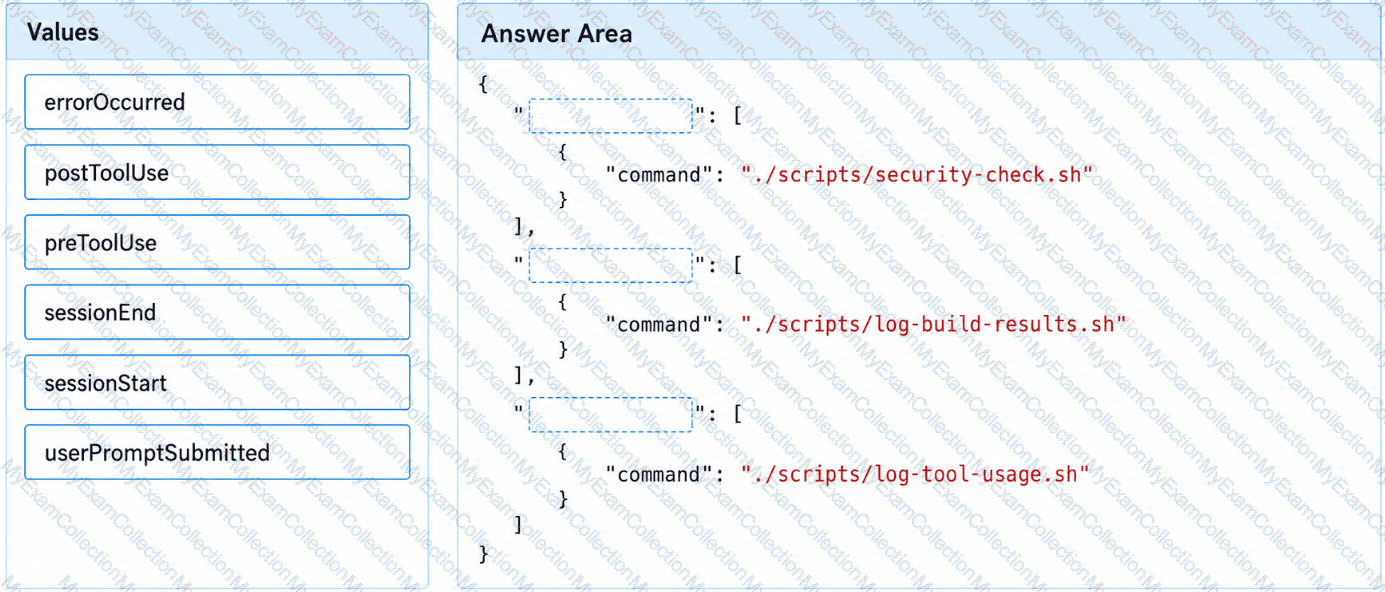
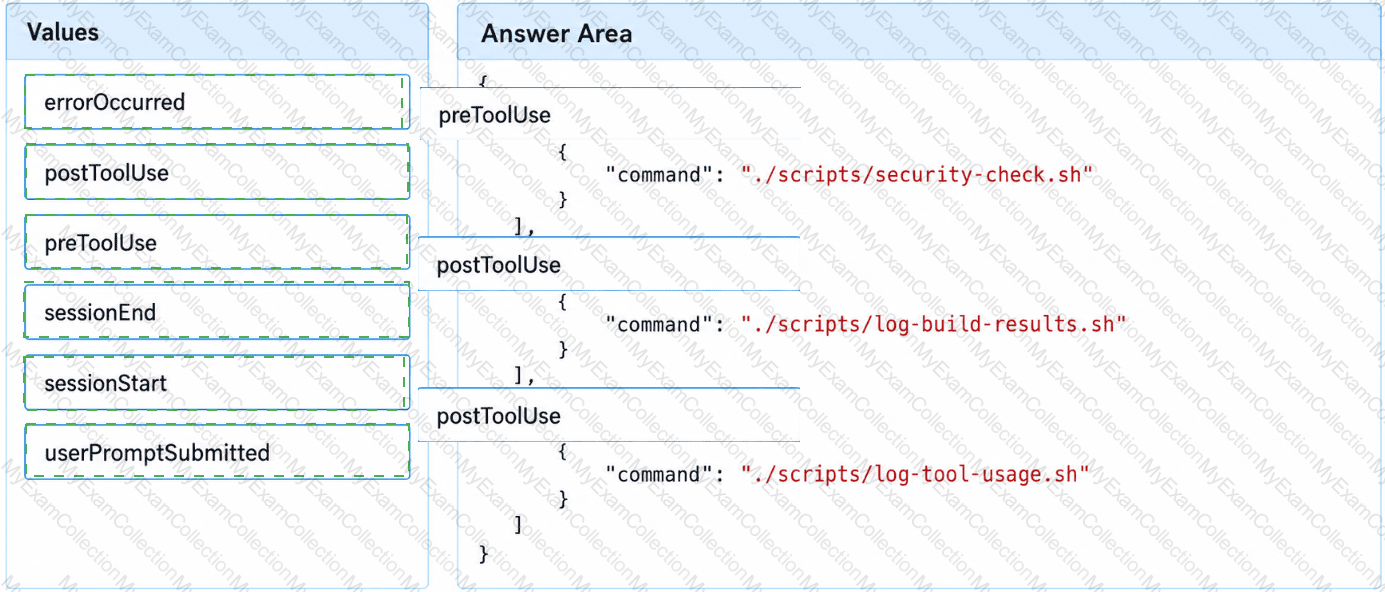
You need to complete the hooks configuration to meet the following requirements:
Tool usage must be evaluated before execution.
Build results must be logged after execution.
Tool usage must be logged after execution.
How should you complete the hooks configuration? To answer, drag the appropriate values to the correct targets.
Question # 10
You have a GitHub Copilot coding agent that has completed a pull request for a security fix in your repository.
Before merging, you need to evaluate the quality of the agent’s work by using both automated evaluation signals and human review.
You review the session log and the pull request.
What are two automated security scanning signals available for the pull request? Each correct answer presents a complete solution.
NOTE: Each correct selection is worth one point.
Question # 11
You have a GitHub Enterprise Cloud repository that uses the GitHub Copilot coding agent to resolve backlog issues by creating draft pull requests. The repository uses a GitHub Actions workflow for deployments to the production environment.
You discover that the workflow is being triggered before human review.
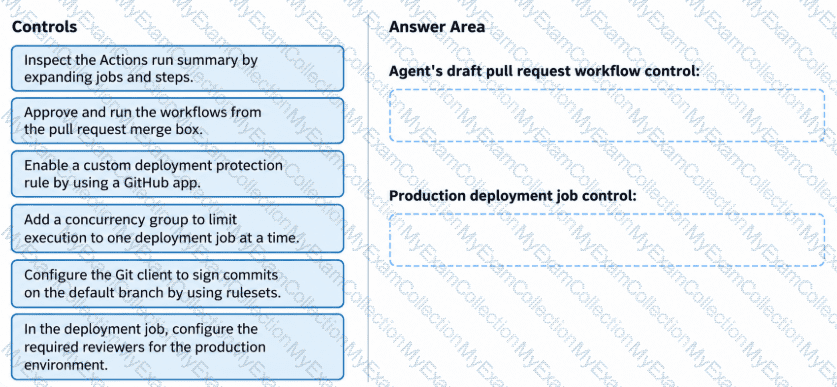
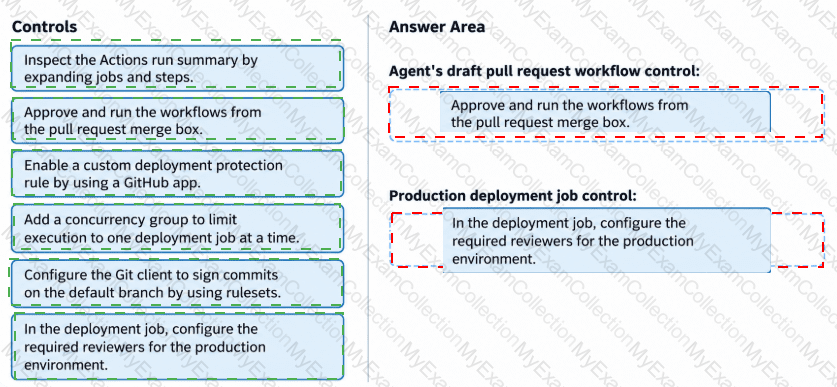
You need to configure GitHub controls to meet the following requirements:
The workflow for the agent’s draft pull requests must NOT run until a user that has write access approves the pull requests.
Production deployment jobs must start only after a user with write access explicitly approves the jobs.
Which controls should you configure? To answer, drag the appropriate controls to the correct requirements.
Question # 12
You need to resolve the issue of the agents generating conflicting output. The solution must meet the implementation guidelines.
What should you do?
Question # 13
You need to configure agent1 to support the planned changes.
What should you do?
Question # 14
You need to provide access to the API key of MCP1. The solution must meet the security requirements.
What should you do?
Question # 15
You need to resolve the scoping issue associated to agent1.
What should you do?
Question # 16
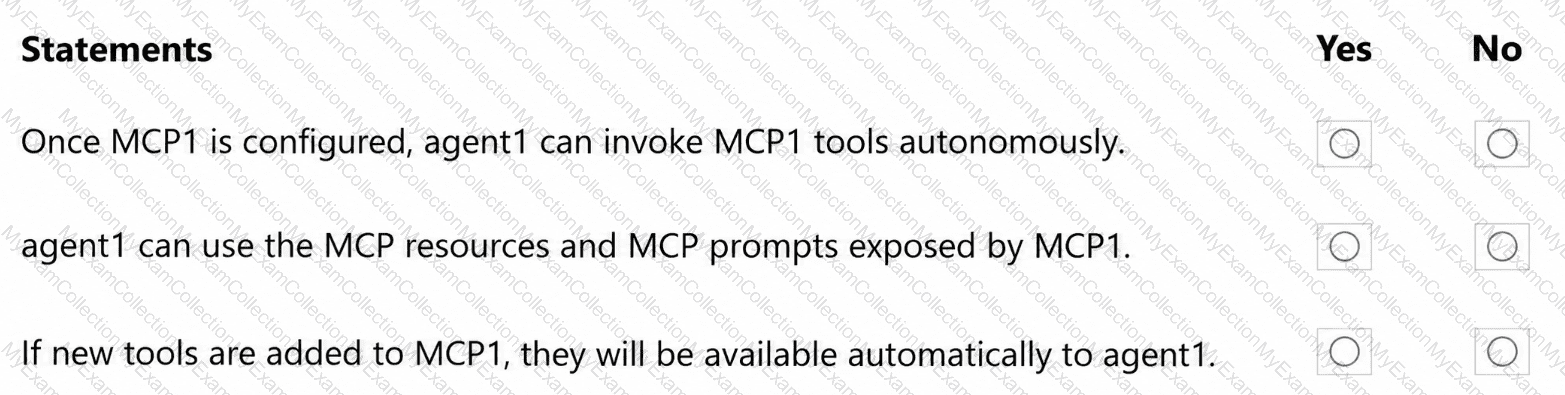
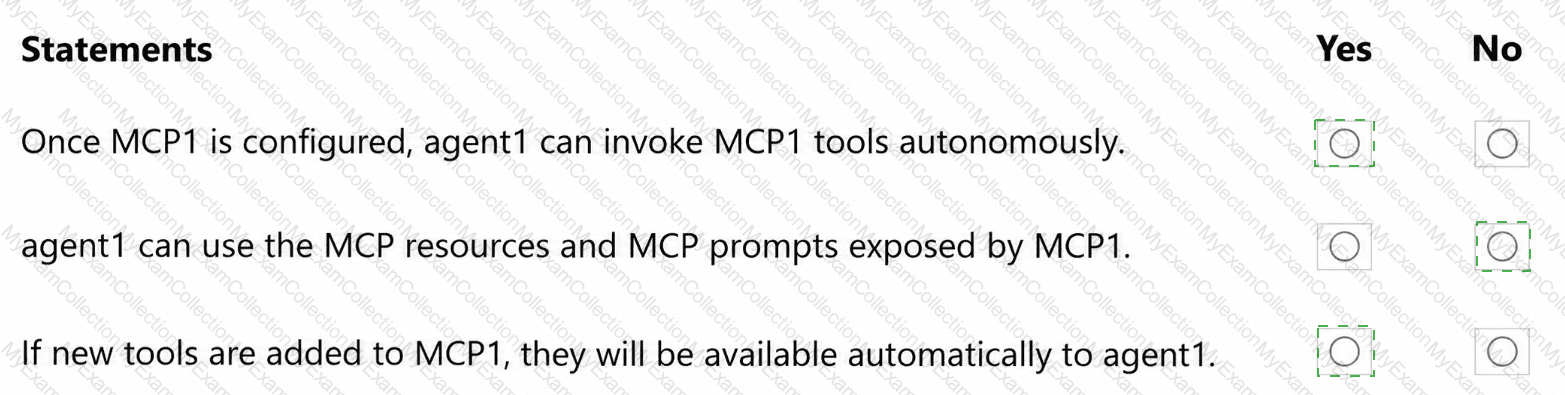
You are evaluating how agent1 will behave after you implement the planned changes.
For each of the following statements, select Yes if the statement is true. Otherwise, select No.
NOTE: Each correct selection is worth one point.
Question # 17
You need to troubleshoot the issue reported by Dev1.
What should you review?
Question # 18
You need to enable Copilot memory to support the planned changes.
What should you configure?
Question # 19
You need to make changes to repo1 to support the planned changes for the agents.
What should you modify?
Question # 20
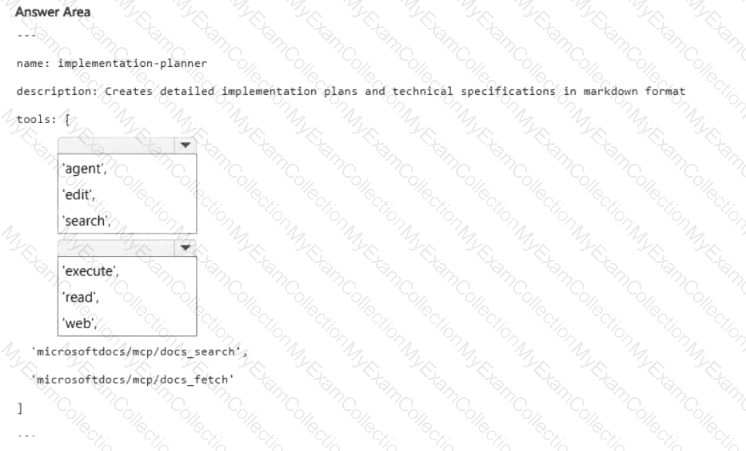
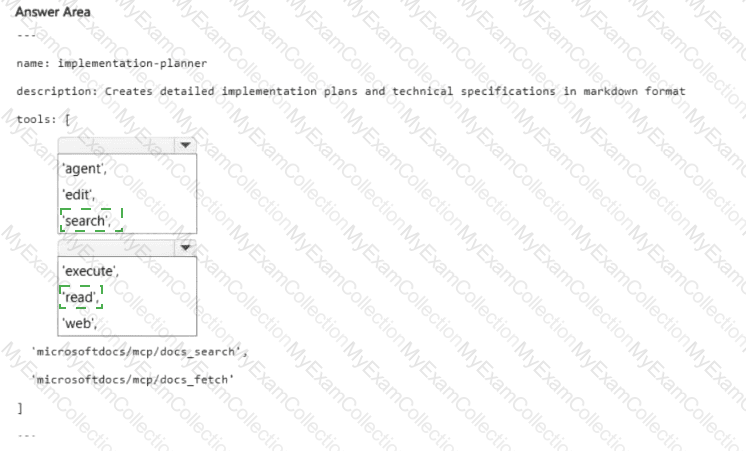
You need to implement agent2 to meet the technical requirements.
How should you complete the YAML configuration? To answer, select the appropriate options in the answer area.
NOTE: Each correct selection is worth one point.
HOTSPOT
name: implementation-planner
description: Creates detailed implementation plans and technical specifications in markdown format
tools: [
< Dropdown 1 > ,
< Dropdown 2 > ,
' microsoftdocs/mcp/docs_search ' ,
' microsoftdocs/mcp/docs_fetch '
]
The accompanying image includes empty dropdown controls and recreated practice alternatives.
Question # 21
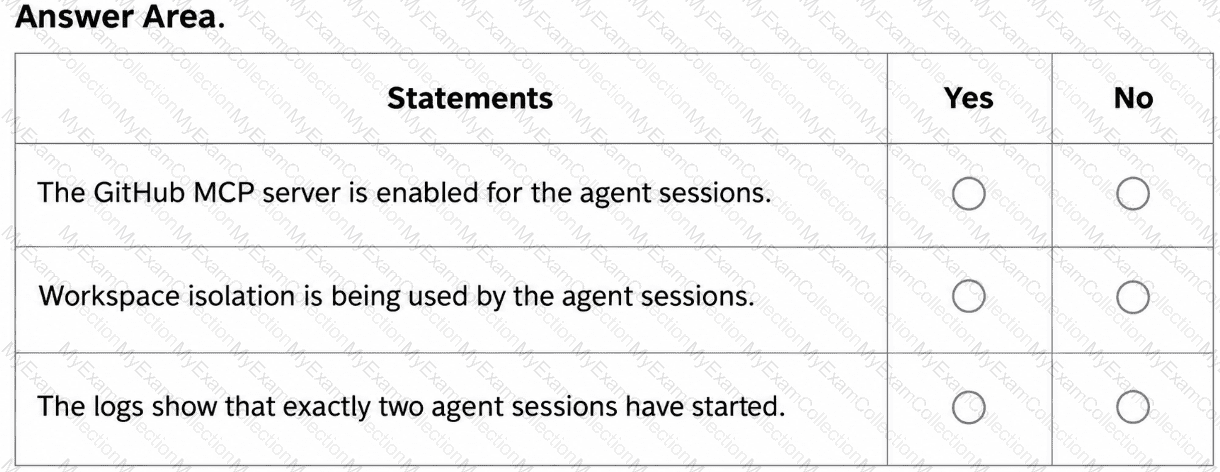
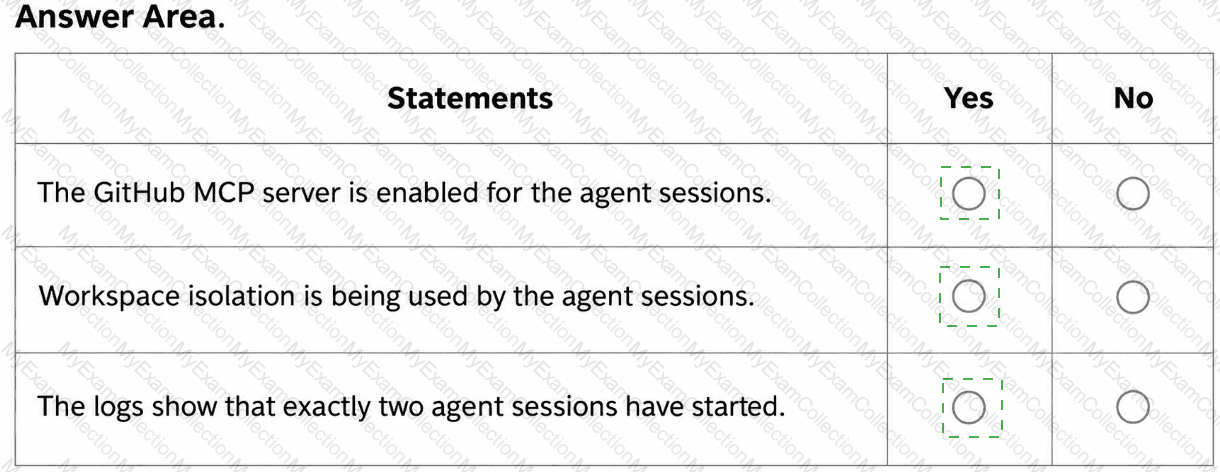
You are evaluating the logs of the multi-agent workflow in repo2.
For each of the following statements, select Yes if the statement is true. Otherwise, select No.
NOTE: Each correct selection is worth one point.
Question # 22
After App1 is upgraded to meet the technical requirements, you need to validate the output.
For each of the following statements, select Yes if the statement is true. Otherwise, select No.
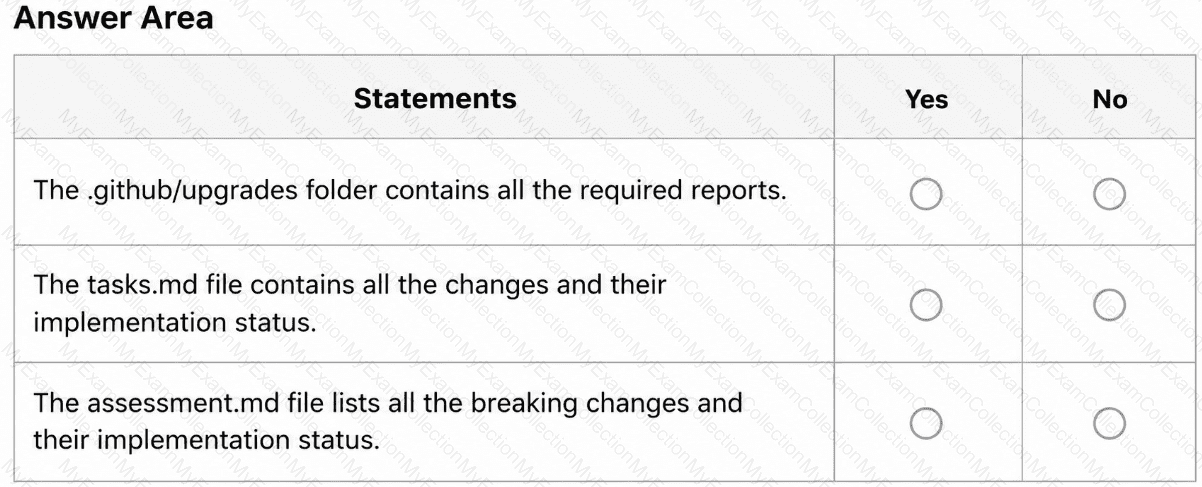
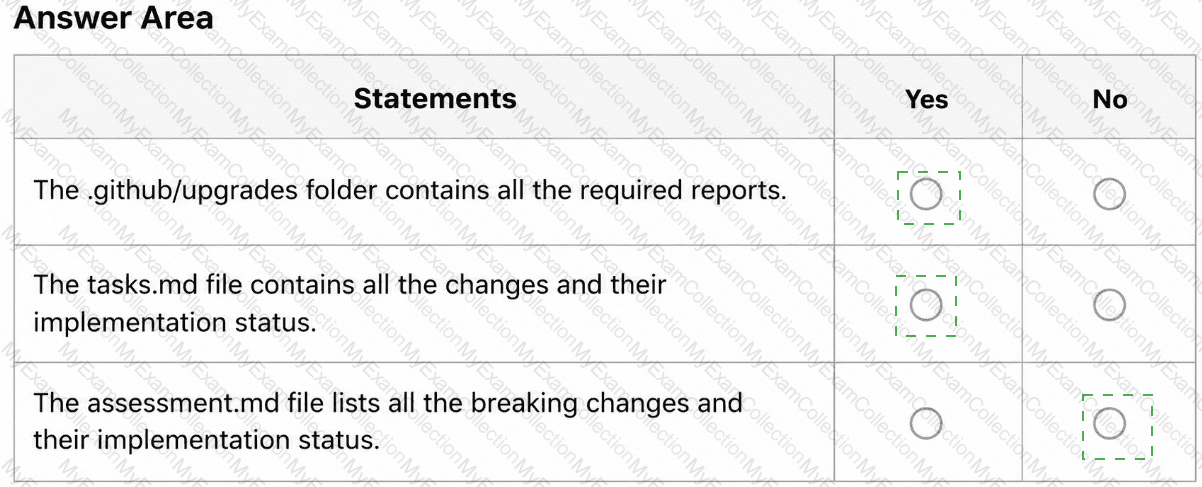
NOTE: Each correct selection is worth one point.